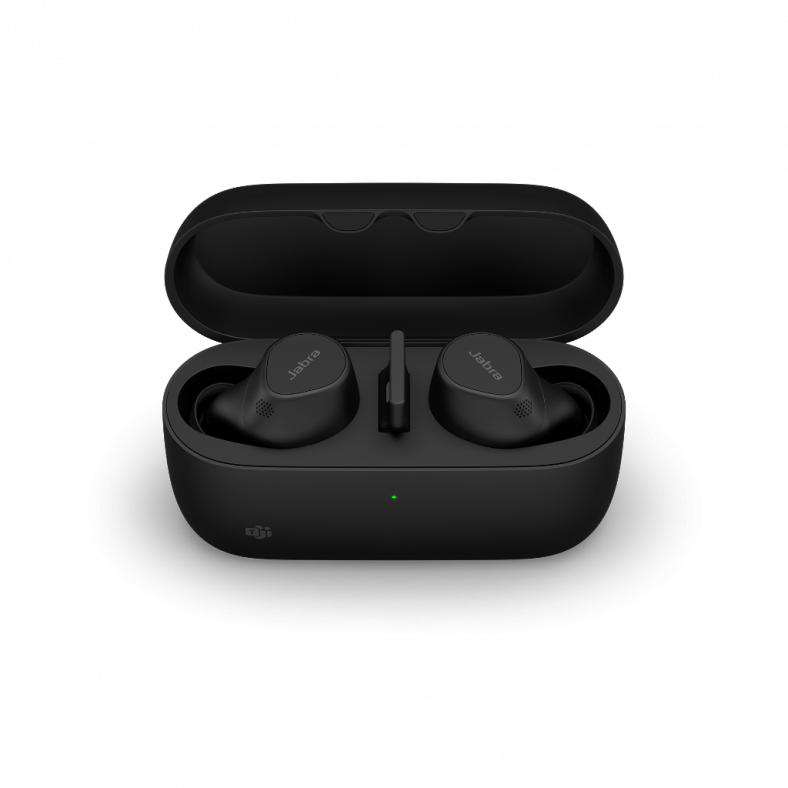

Category: Headphones

  • How to replace the battery on Savi 8210/8220 headsets

    How to replace the battery on Savi 8210/8220 headsets

    [ad_1]


    Today we will discuss on how to replace the battery in the Savi 8210 AND the 8200 wireless headsets. It is really important to mention that even if both headsets share almost the same underpinnings and same technology, both headsets require different batteries and for the untrained eye can be frustrating ordering and then trying to get the battery in and turns that it doesn’t fit and it is really important to order the proper one as per manufacturer’s policy batteries are considered accessories and for same reason they have a no return policy, so lets keep reading in order to determine which battery you need and how to replace it.
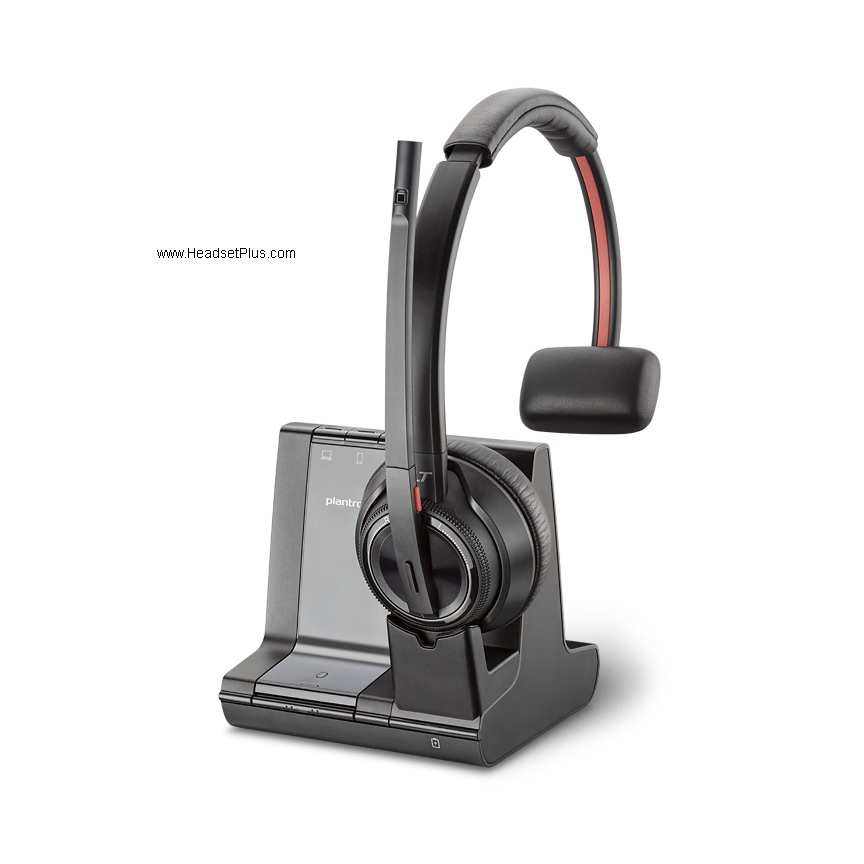
    plantronics savi 8210 wireless headset monaural, savi 8200 view

    The best way to identify the Savi 8210 is by the headset, not by the base code as it is shared with the sibling. The Savi 8210 covers only one ear and it will have a rectangular paddling on one of the sides.
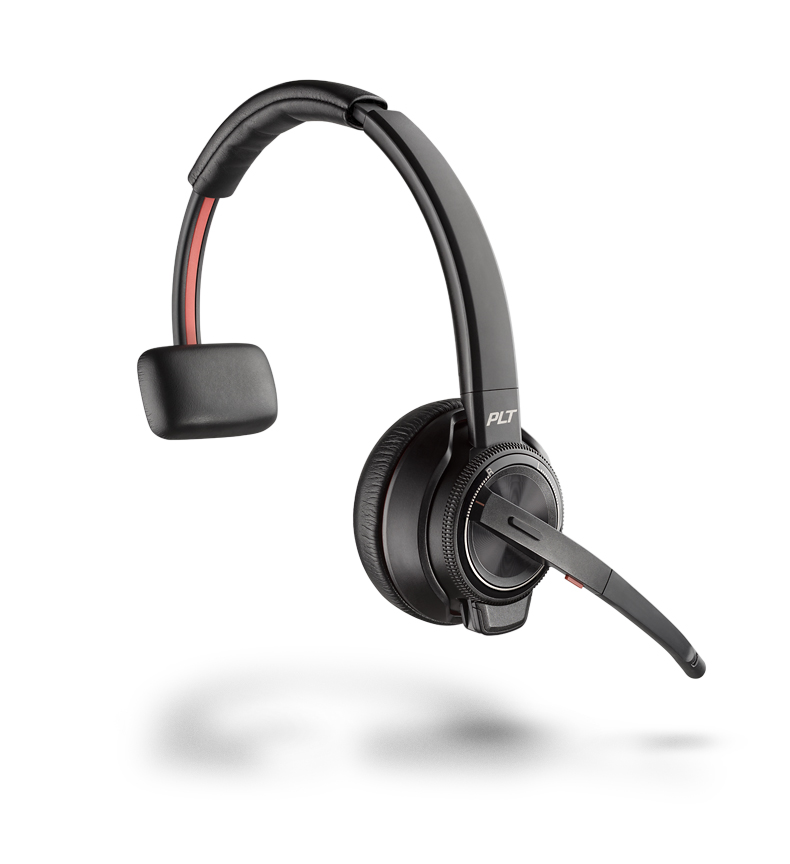
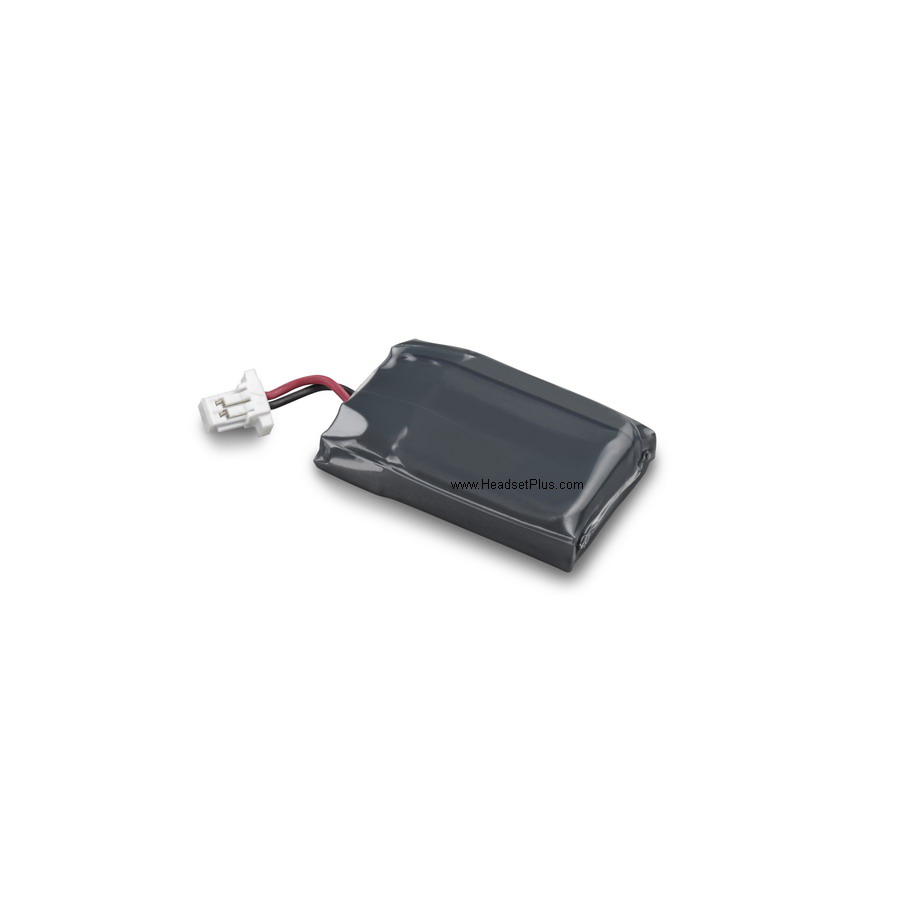
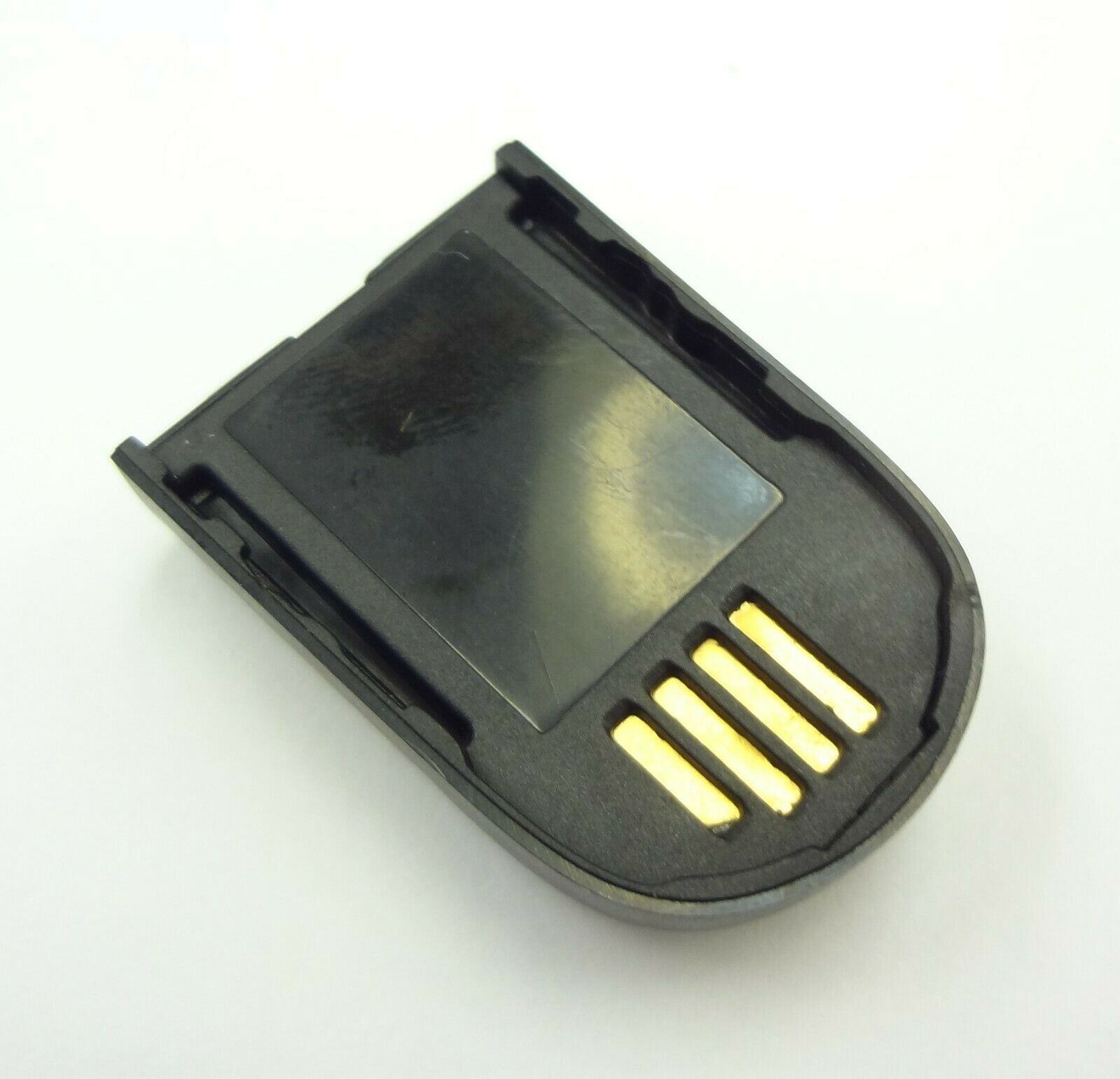
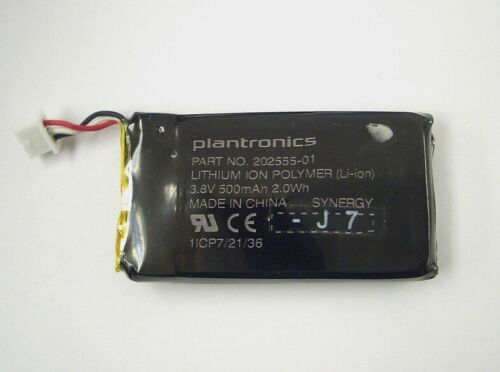
     The funny thing regarding the Savi 8210 placement for the battery is that for many people they can think that the battery is located in the ear cup, but is not. The battery actually is located inside the rectangular paddling on the opposite side, WOW. First we remove the leatherette paddling with your fingers, nothing to be worried as it’s designed to come off. You will notice the screws that keeps the cover of the battery, we are going to remove them by using the removing tool that is included with the battery, if you don’t have one you can use a size PH00 screwdriver, it can be a little confusing and for the same recommended not to loose it. You then remove the old battery and unplug it from the connector, follow this you plug the new battery in the connector, then place the battery back in, making sure that the connector cord Plantronics Savi 8210 8210-M Replacement Battery w/removal toolgets in as well, the place the cover back on, followed by screwing the screws back in and then the paddling and Voila! You had just replaced your Savi 8210 battery. Get your Plantronics Savi 8210 8210-M Replacement Battery w/removal tool HERE. As you can see by the picture the battery is rectangular and not square.
     

    Plantronics Savi 8220 Wireless Headset Binaural Savi 8200 series
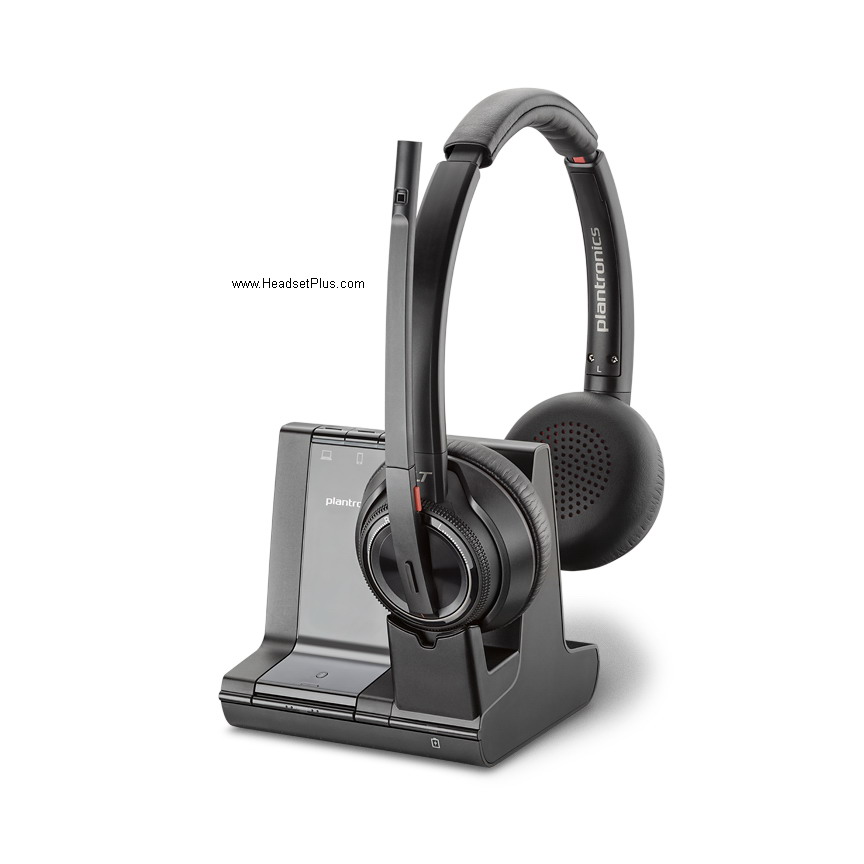
    plantronics savi 8220 wireless headset binaural savi 8200 series view

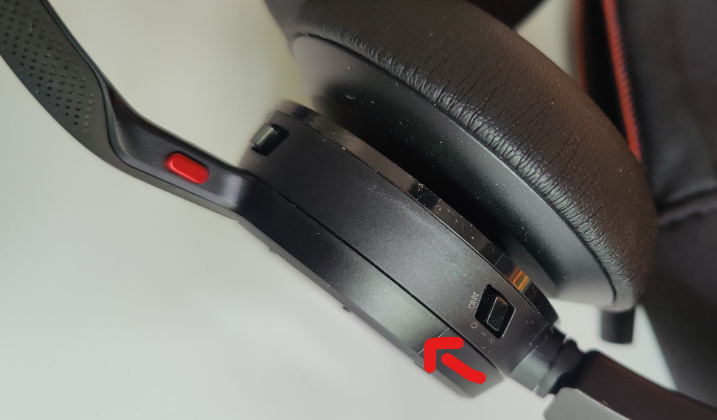
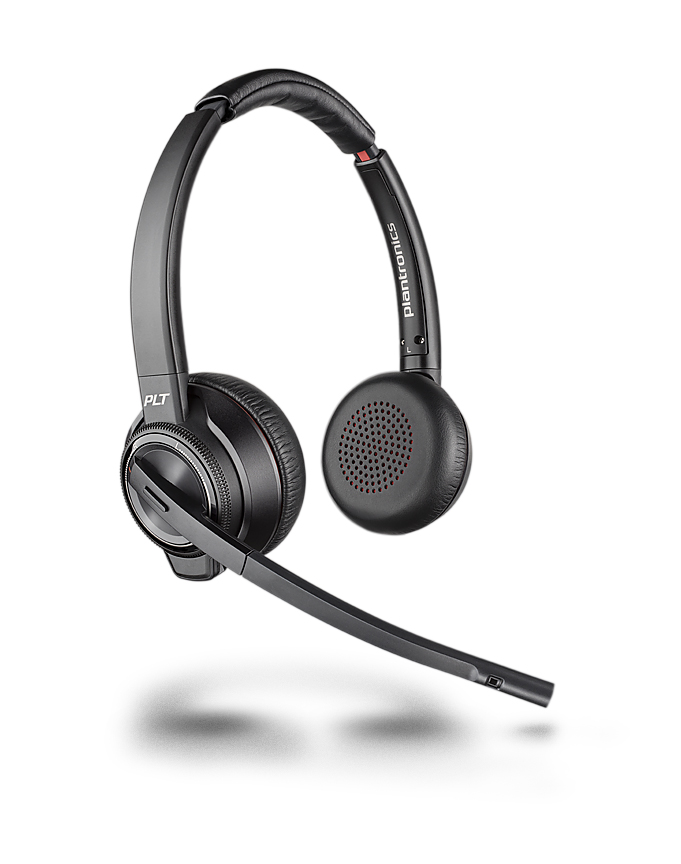
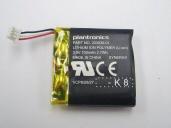
    Now we are going to make sure your headset is a Savi 8220, the headset will cover both ears, you will have 2 speakers with ear cushions and you will have the Active Nosie Canceling (ANC) feature. For the same reason that this headset requires a little more of power the battery will be found in the ear cup opposite where the microphone boom arm is located, to make it easier to locate is where the ANC key is located. First you have to press the plastic cover against the headset and twist counterclockwise to remove it from the headset, this will show you the battery cover and you will be able to see the screws that lock it. Using the removal tool included in the battery, remove the screws and take out the cover. Disconnect the small white connector that attached to the battery and now you can remove the battery from the headset, put the new battery in and connect it as well, making sure that connects all the way in and then place the cover verifying that the cable connectors stay inside and then put the screws back and now we are going to place the plastic cover that we took outPlantronics Savi 8220 8220-M Replacement Battery w/removal tool first by pressing against the headset and you are done! You had replaced your Savi 8220 battery, get your Plantronics Savi 8220 8220-M Replacement Battery w/removal tool HERE. As you can see in this picture, this battery should be a square as it is the size of the ear cup.
    [ad_2]

    Source link

  • Understanding IPX4 Water Resistance – PHIATON

    Understanding IPX4 Water Resistance – PHIATON

    [ad_1]

    Picture this,

    You’re jogging through a picturesque park, the rhythm of your favorite tunes pushing you to reach new limits. Suddenly, dark clouds roll in, and rain starts pouring down. But fear not! With your favorite headphones or earbuds by Phiaton, your music won’t be silenced, and the beats will continue to flow. In this blog post, we’ll dive into what IPX4 water resistance means and why it’s a must-have feature for music lovers who refuse to let a little rain dampen their audio experience.


    What is IPX4 Water Resistance?

    To truly appreciate the value of IPX4 water resistance, let’s start with a quick explanation. IPX4 is an industry-standard rating that measures the water resistance of electronic devices, especially headphones, and earbuds. An IPX4 rating signifies that the device is protected against splashes of water from any direction. This means your favorite Phiaton earbuds can withstand light rain or sweat during workouts without skipping a beat.

    Unleash Your Active Lifestyle Are You an Avid Runner, Hiker, or Gym Enthusiast?

    If so, your favorite Phiaton headphones or earbuds become your trusted companion. Gone are the days of worrying about rain ruining your earbuds or sweat causing them to malfunction. With IPX4-rated Phiaton earphones, you can focus on your activities, knowing that your audio gear can handle the elements.

    Music That Follows You Everywhere Life Is Unpredictable.

    Whether you’re commuting, traveling, or simply going about your daily routine, Phiaton audio gear will give you the freedom to enjoy your music anywhere, anytime. From sudden rain showers to accidental spills, your Phiaton headphones or earbuds will keep playing your favorite tracks without skipping a beat.

    Designed for Durability and Longevity Phiaton Understands the Importance of Durability in Audio Devices.

    That’s why our products are IPX4-rated and engineered with premium materials and meticulous craftsmanship. The water-resistant design of headphones or earbuds enhances their longevity, ensuring they can withstand the demands of an active lifestyle.

    With all Phiaton Products, You No Longer Need to Sacrifice Your Love for Music Due to Weather Conditions or Outdoor Activities.

    We offer a wide range of IPX4-rated products that empowers you to embrace the beats, rain or shine. So, whether you’re exploring the great outdoors, sweating it out at the gym, or caught in an unexpected downpour, trust Phiaton to deliver an exceptional audio experience that endures. Don’t let a little water dampen your spirits—keep the music playing with Legacy 900+, BonoBuds, and BonoBuds Lite by Phiaton.

    [ad_2]

    Source link

  • What is VoIP and how it’s used in the office

    What is VoIP and how it’s used in the office

    [ad_1]


    What is Voice Over IP? Complete Guide to VoIP in 2023

    Today we will explain what’s VoIP and the difference between this service and analog phone lines. VoIP that stands for Voice over Internet Protocol is the newest service available and most commonly found in companies, as it allows to make phone calls over the internet in form of digital packets.

    Due to these packets the sound quality is one of the best ones as the offering thru High Definition sound on handsets or headsets versus analog phone lines in which in most cases the sound is affected due to different cases, among them can be poor wiring in the facility or electrical lines too close to the analog phone lines, creating the common “dirty sound” when in a call.

    Among some of the advantages of the VoIP service over the traditional analog systems we can find the following.

    It can reduced the cost on the service for a company as it offers lower rates for long distance and international call as the phone call is thru the Voice over Internet Protocol and as it requires a reduced infrastructure and lower maintenance.

    Additional features on VoIP systems is that offer is the customization of the same system, like for example call forwarding, voicemail, caller ID, conference calling to mention a few ones. In the majority of the cases these features are already included in the service so no additional expenses are needed there.

    The flexibility of using the VoIP system on a physical desk phone or on the computer or smart device as a tablet or cell phone thanks to its application, allowing the user to never miss a call and keep track of voicemails left off hours.


    The integration with other applications, thanks for being a Unified Communications solution, the VoIP system can work together with your email, calendar and with the end user contact list from Outlook for example, allowing it to transfer all contact information including name, phone number and email as well.

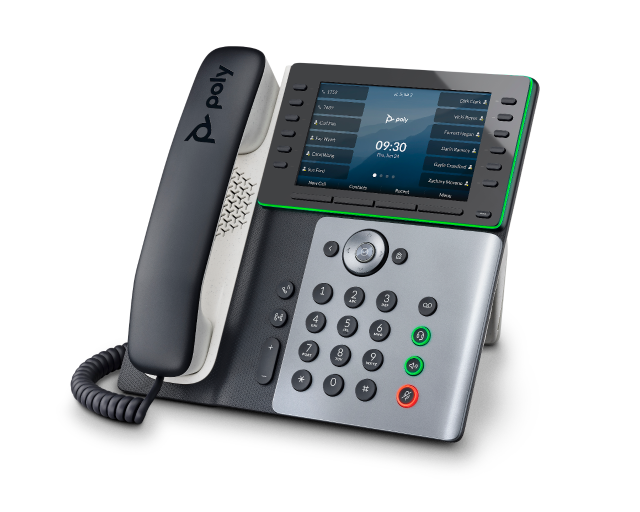
    A good headset option if considering a corded solution with a physical desk phone such as the Poly Edge E can be the Jabra Biz 2300 Mono Direct Connect. Simply plug in into the headset port and use the headset key at the front to answer/end calls.

    Thanks for it’s integration with any computer, this VoIP system can be used in virtually any place as long as there’s a good internet connection and the best solution for remote workers as they can keep the mobility thanks to its applications for smart devices or computers.

    How Does VoIP Work? Introduction to VoIP Phone Systems

    After mentioning the benefits of VoIP systems versus the analog telephone systems, now we can discuss the cons of this system.

    It is strongly advise to have the best internet connection as the digital data packets require this to have the best sound and connection available, if the internet service suffers a blackout this would affect the VoIP and there will not be any entering or exiting calls.

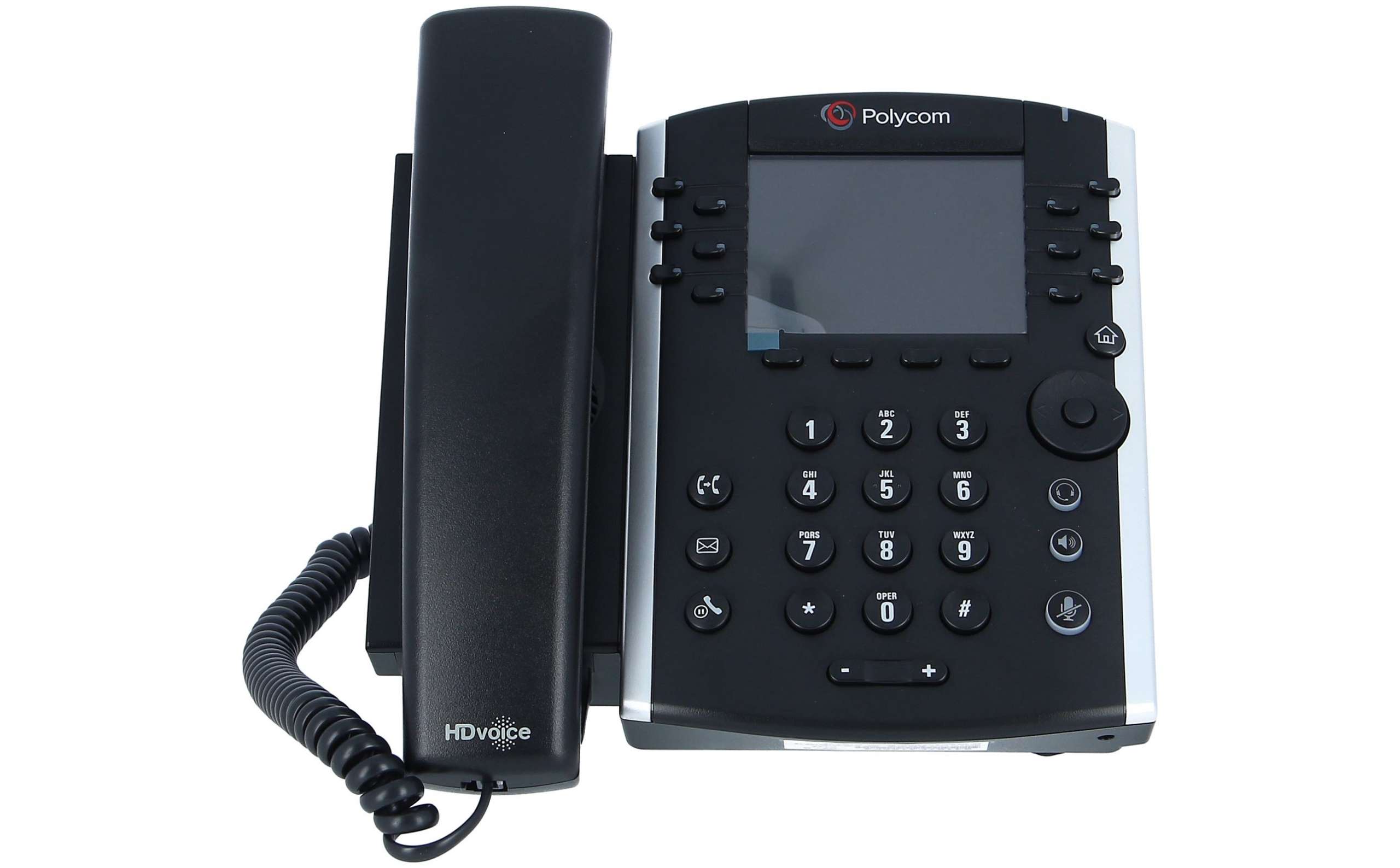
    VoIP is mainly designed to cut costs on companies and is not just yet ready for general public, as it requires special equipment in order to keep the internet equipment up and running, the VoIP desk phones require to be programed in order to accept the system and in order that a desktop or laptop computer can power up a desk phone such as a Polycom VVX411 for example.

    poly - 2200-48450-019 - VVX 411 - VoIP-Telefon - SIP, RTCP, RTP, SRTP, SDP new and refurbished buy online low prices

    If want a wireless headset for your VVX desk phone, we have the Plantronics CS540+EHS Remote Answer Bundle for Polycom IP desk phones, with its noise canceling microphone and remote answer capability thanks to the built in Electronic Hook switch, so no mechanical lifter needed.

    For same reason that it is required to have a stable internet connection, the user needs to have a battery back up as well in case there’s a power outage in order to keep the modem and the VoIP system equipment powered up, as without Internet there’s no system, while an analog telephone phone system still works even in the middle of a power outage or in the middle of a strong storm for example.

    The cost can be a little higher for an individual as additional to the equipment purchase and the Internet service plus the VoIP service as well, as this as today is a well designed tool for companies in order to get the lower cost in the long distance calls or additional services such as voicemail or call forwarding.

    Buy Poly - Rove 30 Handset + B2 Single/Dual Cell DECT Base Station Kit - Wireless Ruggedized and ...


    If your company decide to go with a cordless desk phone, like the new Rove family and if in need of a headset. You can use the Plantronics Blackwire 5210 USB-A, 3.5mm Headset, Microsoft Teams, simply plug it in the side jack and wear the headset while carrying the cordless phone.

    There are different services as today in the market, the most common and well known ones are RingCentral, 8X8, Vonage and Magic Jack, to mention a few, each one offers its independent features and is strongly advise to call them directly in order to know which ones are the features that you need.

    If still willing to get a VoIP system, make sure your internet connection has the best speed, recommending to upgrade to Fiber access or Cable with Gigabit speed so it can handle the digital packets in downloading and uploading.

    [ad_2]

    Source link

  • The Surprising Benefits of Listening to Mus
– PHIATON

    The Surprising Benefits of Listening to Mus – PHIATON

    [ad_1]

    Can music help you study or work better

    Music has been an integral part of human life for centuries. It is a universal language that has the power to evoke emotions, memories, and sensations. Music can affect our mood, help us relax, and even improve our productivity. But can music help you study or work better? This is a question that has been debated by experts in the field for years. In this blog article, we will explore the effects of music on studying and working and provide insights into how it can be used to enhance performance.


    Music and Studying

    Studying can be a challenging task, and many students struggle to stay focused and motivated for long periods. Music has been shown to have a positive effect on students’ studying habits, and several studies have explored its effects. One study conducted by the University of Phoenix found that listening to music while studying improved the participants’ ability to recall information. Another study found that background music can help students stay focused on their work and reduce stress levels.

    Music can also be used to create a conducive learning environment. Ambient music, such as classical or instrumental music, can help create a calming atmosphere that promotes concentration and focus. The type of music played can also influence the learning experience. For example, listening to calming music during breaks can help students relax and reduce stress levels, while upbeat music can be used to energize students during intense study sessions.

    However, it is essential to note that not all types of music are beneficial for studying. Music with lyrics, for example, can be distracting and reduce concentration levels. Furthermore, the volume of the music should be kept low to avoid interfering with the learning process.

    Music and Working

    Music can also have a positive effect on work productivity. Many individuals find it challenging to stay motivated and productive for extended periods, and music can be used to combat this problem. Listening to music while working has been shown to improve the quality and quantity of work produced. A study conducted by the University of Windsor found that participants who listened to music while working on a task completed it faster and produced better quality work than those who worked in silence.

    The type of music played can also affect productivity levels. Fast-paced, upbeat music can be used to increase energy levels and help individuals work faster. However, it is essential to note that not all tasks are suitable for this type of music. For example, tasks that require a high level of concentration, such as reading or writing, are better suited for calm, soothing music. Using noise cancellation headphones such as highly acclaimed 900 Legacy headphones can help further enhance your concentration by eliminating distracting exterior noise and allowing you to be focused on the task at hand and the background music. 

    Music can also be used to reduce stress levels in the workplace. A study conducted by the University of California found that employees who listened to music while working reported lower stress levels and improved job satisfaction. Music can also help create a positive work environment and improve employee morale.

    Conclusion

    In conclusion, music can be a useful tool for studying and working. It has been shown to improve memory recall, increase concentration levels, reduce stress levels, and improve job satisfaction. However, it is essential to choose the right type of music and keep the volume at a suitable level to avoid interfering with the learning or working process.

    When using music to enhance productivity, it is important to experiment with different types of music to find what works best for you. Some individuals may prefer classical music, while others may find jazz or instrumental music more helpful. It is also essential to use music in moderation and avoid relying on it as a crutch.

    Overall, music can be a powerful tool to help individuals study and work better. It can create a positive learning or working environment, increase productivity levels, and reduce stress levels. However, it is important to use it effectively and in moderation to avoid interfering with the learning or working process.


    Recommended Reads:

    Reasons You Need Water Resistant Earbuds

    New Headphone & Earphone Tech: Features to Look for in Your Next Pair

    Neckband Headphones: Why Is This Design Becoming So Popular?

    [ad_2]

    Source link

  • How to Configure and Setup a Corded Headset for Mitel/Aastra Phone.

    How to Configure and Setup a Corded Headset for Mitel/Aastra Phone.

    [ad_1]


    Mitel Aastra Ascotel - Dect Eco-Recyclé - Matériel Eco-Recyclé

    Back on 2014 Aastra official merged with Mitel and most of their phones now share the same underpinnings which can be a little confusing to the untrained eye. But what happens when you plug in your corded headset or wireless one and it doesn’t work at all? Majority of the times someone can think that is a faulty headset, however by default the newer models from Mitel/Aastra like the 6867i for example don’t have the option to use a headset enabled at all. Here are the steps that will allow you to enable this feature. On this example we will use the mentioned 6867i desk phone for reference.

    Aastra Mitel 6867i Gigabit IP Phone (50006817)

    1.  You need to select the headset audio mode by going into the Phone UI. Press and then navigate to audio, then audio mode and press Enter or the Select Soft key.
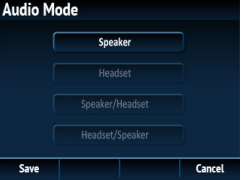
    2.  Then scroll down and high light the Headset/Speaker tab. With this tab will allow the user to take the call primary with the headset either corded or wireless and then if needed to switch to the Speaker or handset.

    3.  Then press the Save soft key and this will keep the changes on the phone.

    Once you have enable the headset port, you will be able to press the headset key on the phone and this will allow you to hear the dial tone and make/receive calls on the headset.

    If needed to adjust the volume on the mic of the headset you can adjust it again by navigating to the Audio tab, then Headset and that will show you the Headset mic Tab and can be increased or lowered.

    Important note:

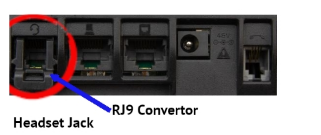
    You need to make sure that your Mitel/Aastra desk phone either still has the RJ9 converter or not before ordering a headset, here is the reason why:

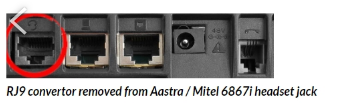
    Right here you can see that the RJ9 Converter is at place, which allows you to use corded headset from Plantronics or Jabra with the rightful RJ9 connector.

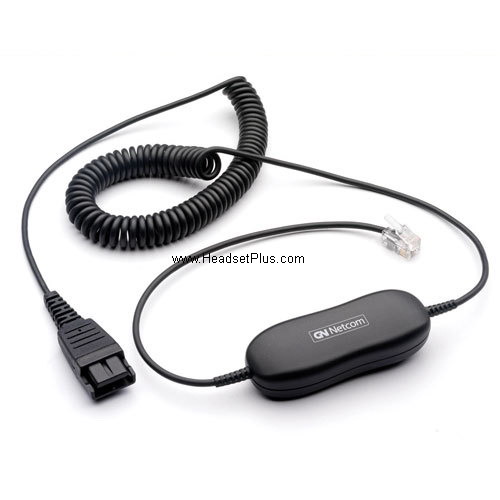
    jabra/gn netcom 1200 smart cord view

    Now lets see the next:

    In this example the RJ9 Converter had been removed, unfortunately they don’t sell those converters as they are only included with the phones. If this is the case you will need different adapters from Plantronics or Jabra if want to use a corded headset as the opening of the port is bigger and even if you plug in a RJ9 headset will not stay in place and will not work properly.

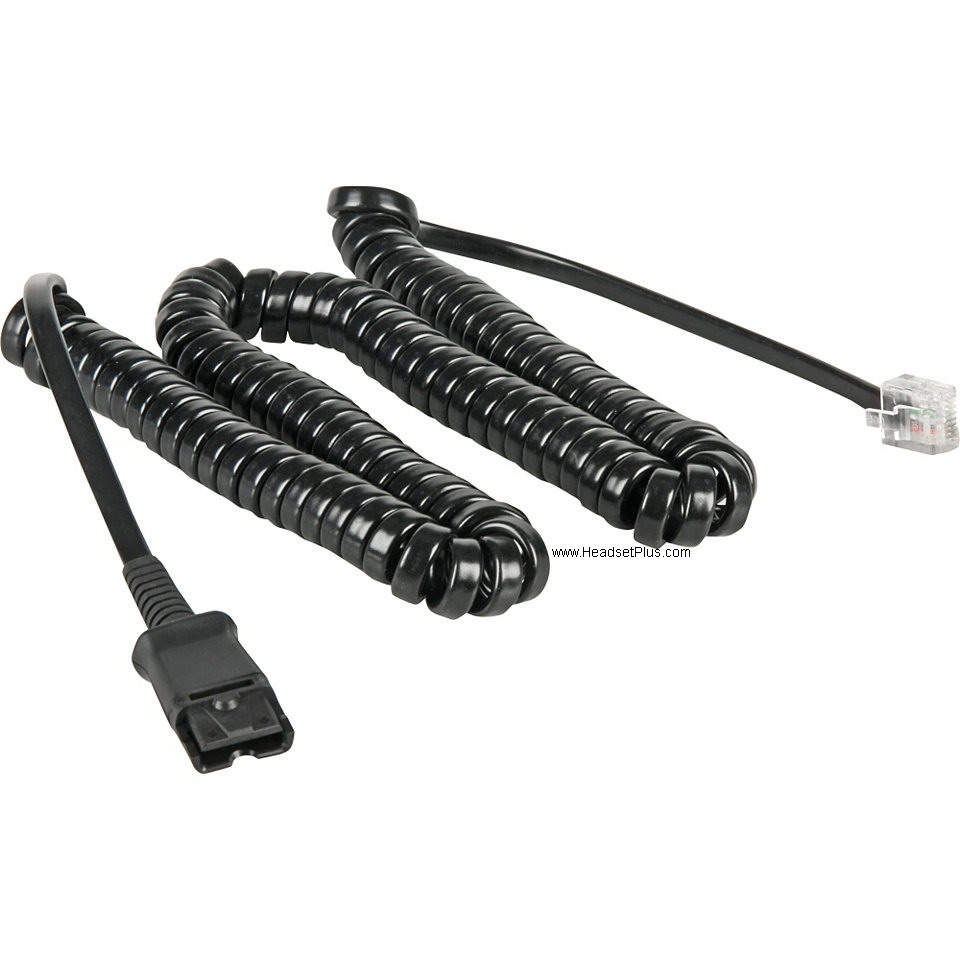
    plantronics u10p-s19 qd to rj-45 cable for aastra/siemens phones view

    [ad_2]

    Source link

  • Best Noise Cancelling Headset for Crowded Office or Contact Center

    Best Noise Cancelling Headset for Crowded Office or Contact Center

    [ad_1]


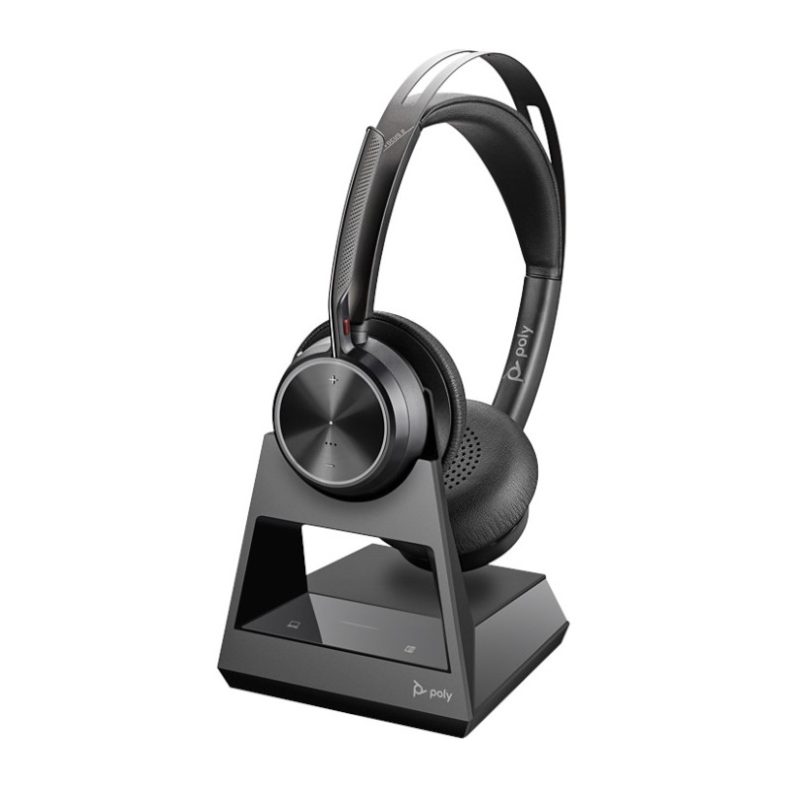
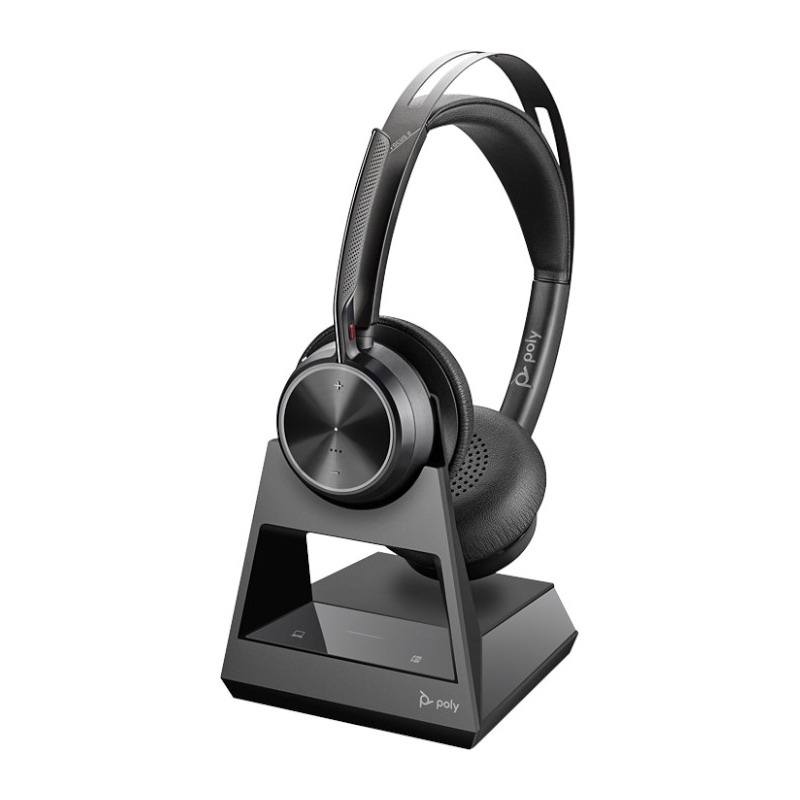
    poly voyager focus 2 office usb-a bluetooth stereo headset view

    You work in a busy Contact Center or Office?  The sound of one’s own thoughts, some dread it but those that work in a crowded office and contact center can attest to how underrated the sound of silence truly is. If you have the misfortune of needing to make a lot of phone calls in a loud or crowded workplace, a good pair of noise-cancelling headphones is invaluable. Every headset seems to offer noise-cancellation but few actually measure up and even fewer offer true Noise Cancellation. Meet the new Voyager Focus 2 Office by Poly, formerly known as Plantronics, with new Digital Hybrid Active Noise Cancellation and Smart Sensor Technology. The Voyager Focus 2 Office provides an unparalleled mix of noise cancellation, studio-level comfort and audio quality not seen in a Bluetooth headset. It’s sleek, intuitive design that doesn’t sacrifice audio quality for comfort or looks means its equal parts style and substance. Its Smart Sensor technology knows when you are wearing the headset, allowing users complete control of music or phone calls without the need to fumble for buttons or cables. The Voyager Focus 2 Office allows you to mute the mic with Acoustic Fence technology by just moving it up or down, and allows the user to wear the mic boom on either side. Besides, you can take the headset with you down the road and can be used as a Bluetooth headset or as a corded via USB with the included cable that does not compromise performance on microphone or speaker for those times when you can’t use Bluetooth or you are using it with another computer.

    Thanks to its Office Base, you can skip the old setting of the first generation Focus and the MDA 220, making it one of the best headsets in the market. Get yours HERE.


    jabra evolve2 75 uc stereo bluetooth headset usb-a viewAnother option now in the market comes from Jabra, The new Jabra Evolve2 75 is a wireless USB headset, with the new adjustable Jabra Advance Active Noise Canceling which blocks the environment noises and can be graduated so you can focus on your call no matter the environment that is being used. With a fresh and discrete design, easy to use the Jabra Evolve2 75 has a built in busy light that allows you to let everyone know when you are in a call, the microphone boom has 2 setups one that is Performance with the mic boom out that gives the best sound quality during a call and Discreet mode that with the boom arm stored in has built in microphones that allows the user to use it in a more discrete way, and those microphones had met the Microsoft Open Office requirements. New and improved mix of hard and soft foams in order to block the unwanted noises and give a perfect ventilation for cooling.
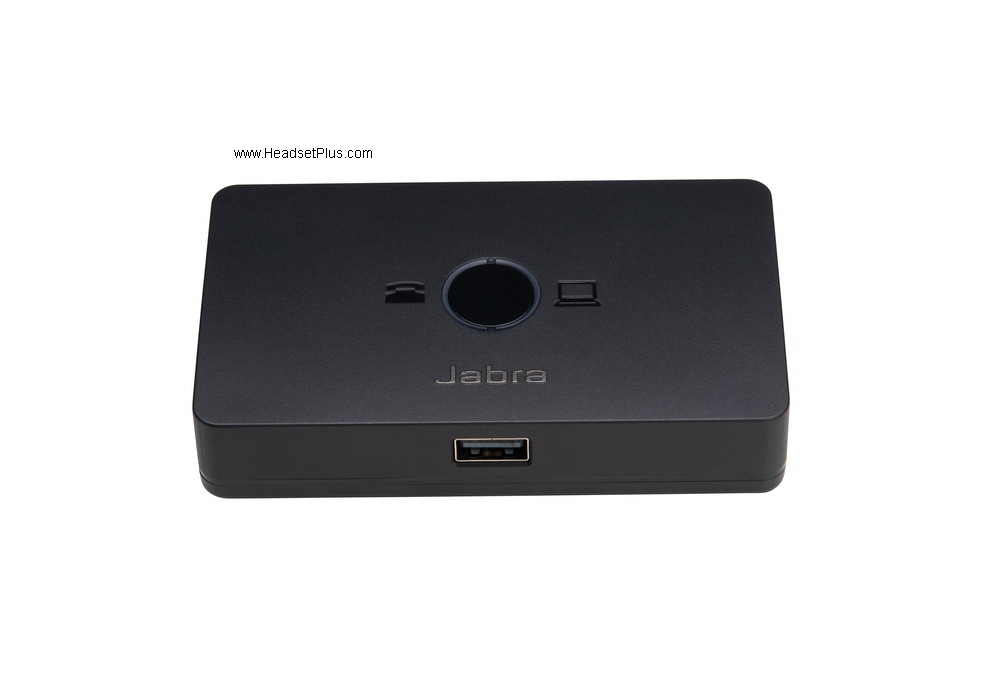
    In order to make your Jabra Evolve2 75 work with virtually any desk phone, you will need the new Jabra Kink 950 , this switch makes possible to plug inJabra Link 950 USB Telephone Computer Switch any USB headset (corded or wireless) from Jabra to work with your desk phone and your computer if needed, compatible with Jabra EHS cables, that allows you to remote answer your desk phone makes the Jabra Link 950 one nice option for your Jabra USB corded or wireless headsets.
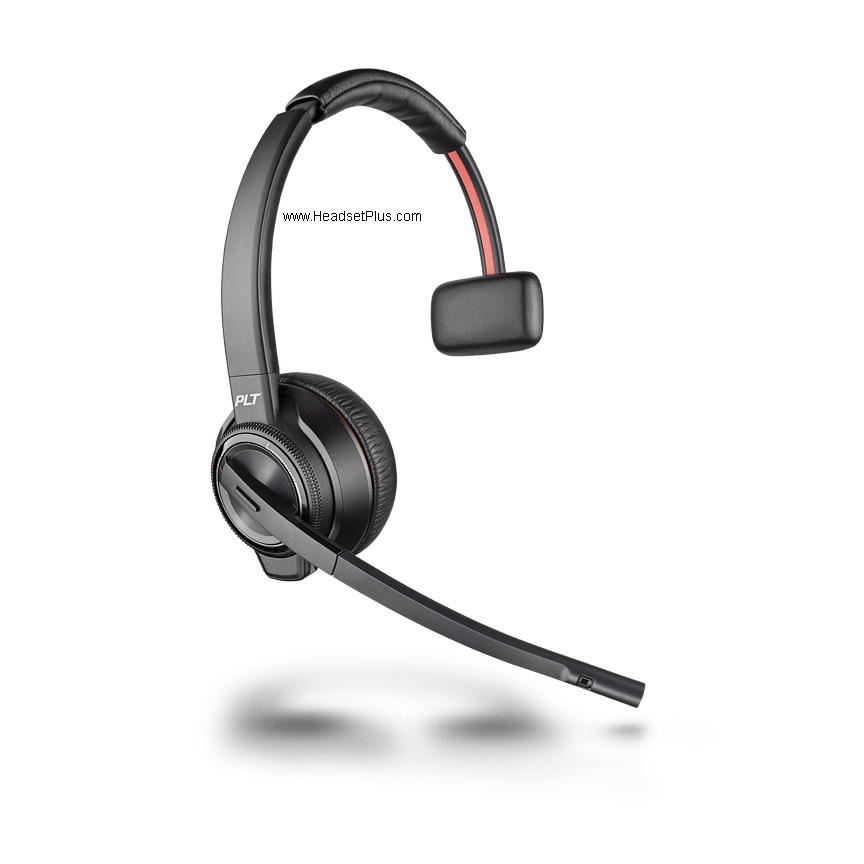
    Another option in this market is the recently launched Plantronics Savi 8220 Wireless Headset Binaural Savi 8200 series, this had been a top seller from Plantronics, compatible with most of corded desk phones, the Savi 8220 offers a easy to turn on and off Active Noise Canceling, built in volume controls to the headset , mute and answer/end calls commands. Offering one of the best ranges with 590ft line of sight, making it one of the longest ranges offers up today. Integration to be used with desk phones, computers and cell phones or tablets via Bluetooth built in to the base. One of the first wireless headsets in the market to be Telecoil hearing aid compatible, making it one nice option in a very competitive market.Plantronics Savi 8220 Wireless Headset Binaural Savi 8200 series


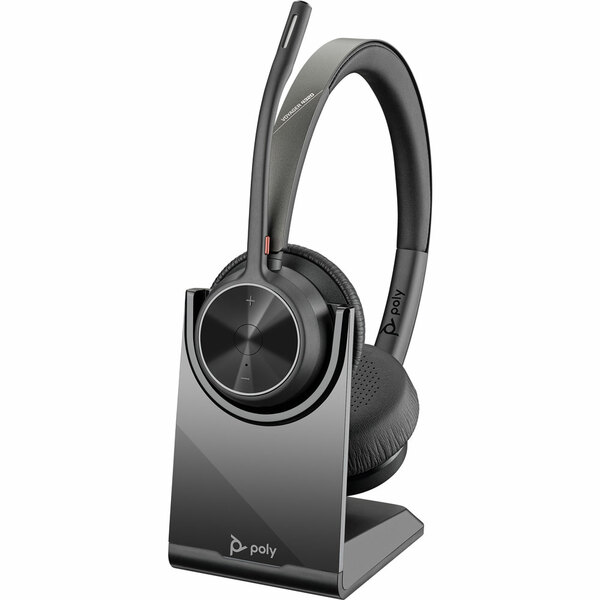
    Lastly we have the the new Voyager 4320 from Poly, this is the new entry level for a Bluetooth headset, thanks to Poly the Voyager 4320 offers Acoustic Fence in its flexiblepoly voyager 4320 uc bluetooth stereo usb-a headset w/stand view microphone boom arm , with 2 microphones facing the user and one facing the outdoor, with an amazing battery life of up to 24 hours of talk time or 47 of listening. An improved range of up to 164 feet, thanks to its Bluetooth Class 1 dongle and with a fast charging setup that allows you to have a fully charge in about hour and half. The Voyager 4320 can be used as a corded headset as well, thanks to the included USB-C to USB-A cable, allowing the user to use it when either the dongle is not available or can’t use Bluetooth. You can use your Voyager 4320 with your desk phone as well by using the MDA 220, which will explain on how to setup next.

    What you will need:

    To set-up:

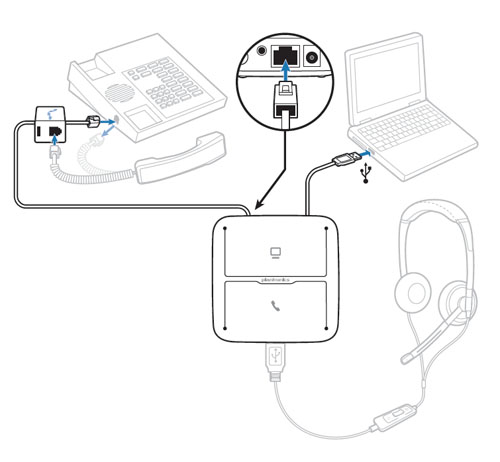
    On your desk phone, disconnect the receiver from the receiver port and plug in the
    the telephone interface cable (included with your MDA220) into the receiver port. Once the interface cable is plugged in to the phone, connect the receiver to the splitter located on the interface cable with the telephone icon. Then connect the interface cable to the RJ-9 Port on the MDA220.

    Then power your MDA220 by connecting the USB cable to your Mac or PC, (an AC/DC wall adapter is available if you don’t have a computer to connect with).

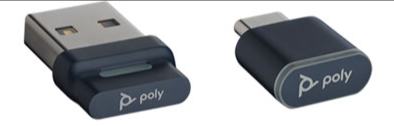
    Then connect the Voyager 4320 USB Bluetooth dongle in the USB port in front of the MDA220 and you are ready to go. It should look something like this:

    You can now take advantage of the best noise-cancelling headset on the market for your busy contact center.

    Feel free to call 877-999-3838 if you have questions on how to select the perfect headset for your office.

    Active Noise Canceling Explained:

    Polys Acoustic Fence Technology explained:

    [ad_2]

    Source link

  • How to reset your Poly/Plantronics wireless headset to Default

    How to reset your Poly/Plantronics wireless headset to Default

    [ad_1]


    Poly Rebrand — Poly Folly. Why the Rebrand Might Not Make Sense

    Poly’s wireless headsets had come here to stay, however sometimes as always happens with technology there can be some hick ups which requires more than turning on and off your headset and yes, we know that it can be frustrating when your wireless headset is acting up. And for the same reason we will explain on how to reset the different kinds of Poly wireless headsets.

    Plantronics CS50 family, CS5XX family.

    plantronics cs540 wireless headset, convertible (c054, co54) view

    Plantronics top seller and top seller headset in the world. The CS family is a really well known unit thanks to its compatibility, easy to use and reliability. This DECT wireless headset is mainly designed to be used with your desk phone, however if a hick up comes on the way you need to do the following:

    1. Unplug the base of your wireless headset from the AC/DC adapter.plantronics universal ac/dc wall adapter view

    2. Take the headset out of the base. 

    Plantronics CS540 Wireless Headset, Convertible (C054, CO54)

    3. Take the battery out of the headset. (Depending on the model you need to open the battery gate and then take the battery out. Some other models like the Unlimited talk time have sealed batteries which makes it easier to remove and will explain later.)

    plantronics cs540 (co54 c054) replacement battery view

    4. We now play the “Waiting Game”, some people will say that 10 seconds, however its better that all the sensors get reset and the best would be singing “Happy Birthday to me” at least 2 times. (This helps to make it less tedious and more fun to pass time.)

    Plantronics CS540 Wireless DECT Headset - Base Only

    5. We reverse the steps we took, so we plug the battery back in, put the battery gate (if needed), and then plug the AC/DC adapter again. 

    Plantronics CS540 Wireless DECT Headset - Base Only

    6. Once the lights on the base have lightened up and the “Power on” LED stays on (The one under the Plantronics brand/White), place the headset on the base, then let it rest for 10 seconds and you will see the white LED on your CS headset to start blinking. 10 more seconds after that white LED on the headset starts blinking, you will notice the “Charging LED” that is located on the right side and will start blinking green. Success the headset had been reset and now should be up and working again.

    Plantronics CS540 - Comfort Canada

    Poly Savi family, Voyager Office family.

    plantronics savi 8220 wireless headset binaural savi 8200 series view

    The Poly Savi/Voyager Office headsets allows you to use one headset with multiple devices and for the same reason it will have a couple extra steps as it requires to unplug and plug more cables as use in some cases either the computer or cell phone to help with this.

    1. Unplug the base of your wireless headset from the AC/DC adapter.plantronics universal ac/dc wall adapter view

    2. Unplug the base of your wireless headset from the computer. 

    Plantronics Accessories microusb data cable


    3. Take the headset out of the cradle.

    Plantronics Savi 8210 Wireless Headset Monaural, Savi 8200


    4. We now play the “Waiting Game”, some people will say that 10 seconds, however its better that all the sensors get reset and the best would be singing “Happy Birthday to me” at least 2 times. (This helps to make it less tedious and more fun to pass time.)

    Poly Savi 8220 Office Wireless Headset - Headsets Direct

    5. Now we reverse our steps. First we plug the base to the AC/DC adapter, followed to the micro USB. After this you will see that the base will start lighten up showing the “Power”/”Connection” lights on. Depending on the model there will be green /white/blue. 

    6. Once the “Power LED” turns green, place the headset again on the cradle. and you will see the blinking on the LED on the headset. The sensors had been reset and now the headset is good to work again. 


    plantronics savi 8220-m stereo wireless headset, microsoft teams view

    Special note: If after doing these steps you still have problems on the headset you will need to follow steps 1, 2 and 3 followed by:

    plantronics savi 8240 8245, voyager 4245 replacement battery viewRemove the battery of the headset. Depending on theplantronics savi 8210 8210-m replacement battery w/removal tool view model some headsets have sealed batteries as the Unlimited talk headsets, another will need a special tool in order to remove the battery gate and then take the battery off. 
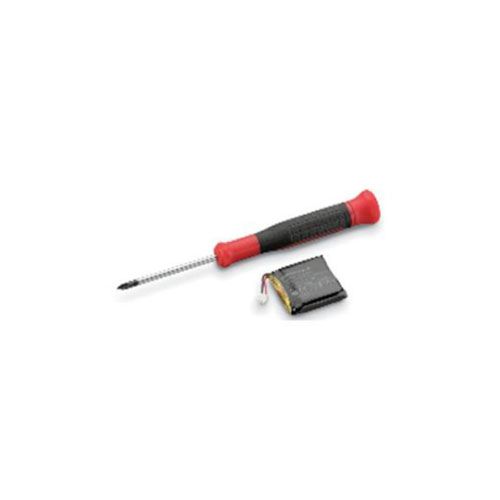
     

    Put the battery back in the headset and follow the steps 4,5 and 6.

    Poly Voyager UC family.

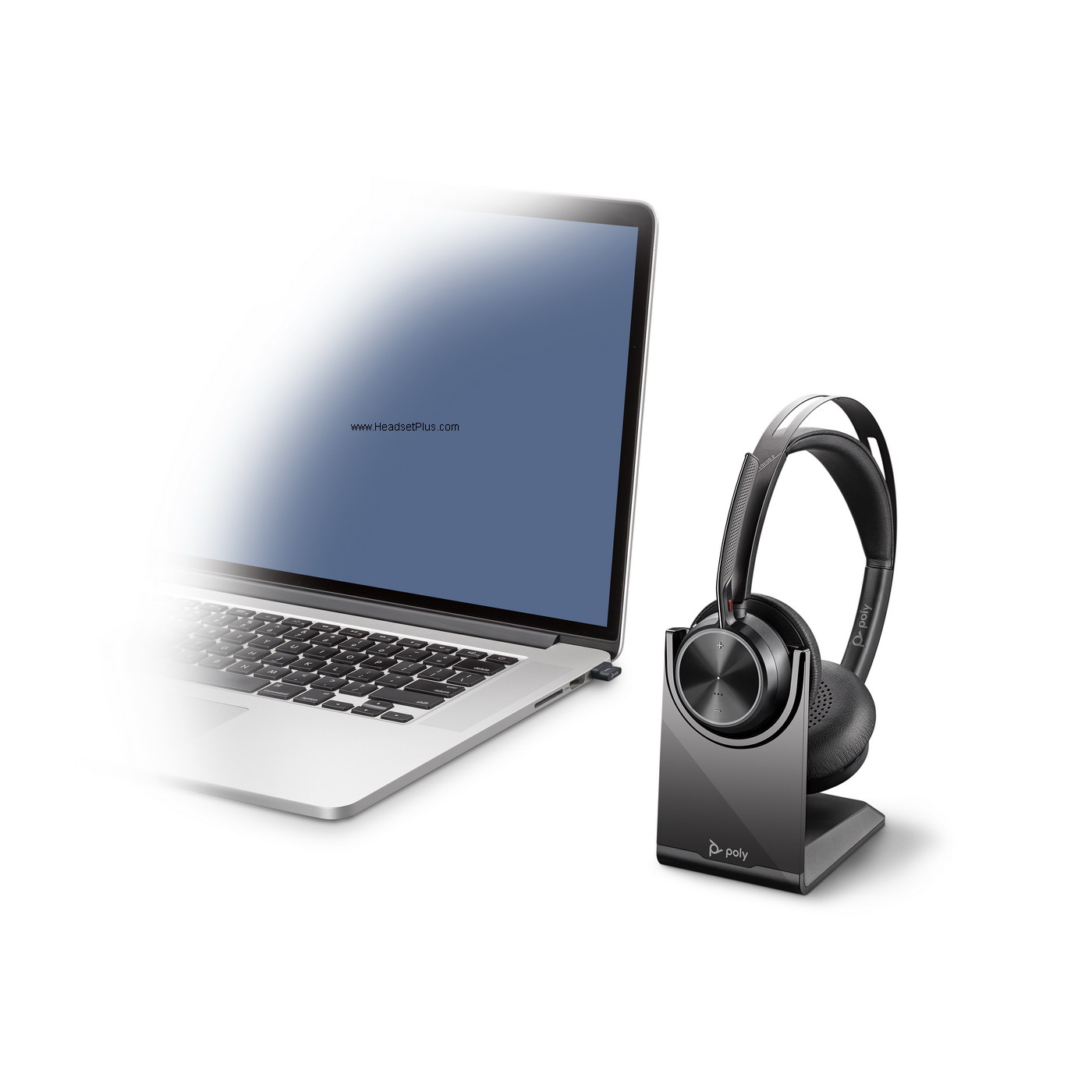
    Poly Voyager Focus 2 UC USB-C Bluetooth Stereo w/Charging Stand

    The Voyager UC family is a Bluetooth headset designed to be used with your computer thanks to the Bluetooth Dongle and/or your Bluetooth enable cell phone or tablet via the native built in Bluetooth and from time to time you might see that your headset is acting up. If so, follow the next steps in order to reset your headset.

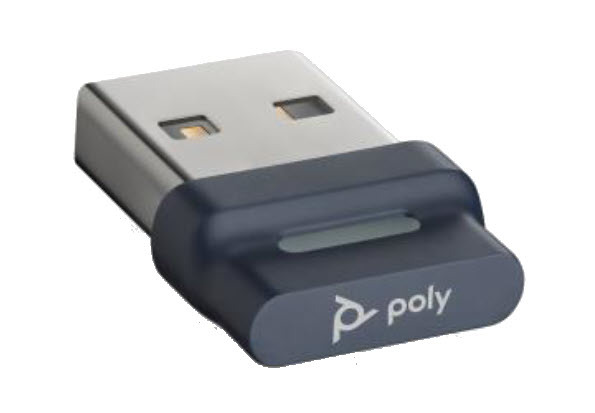
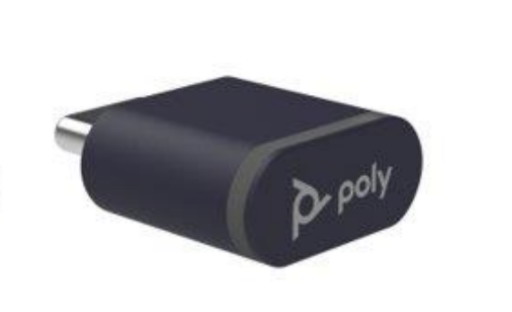
    1. Unplug the USB poly bt700 bluetooth usb-a adapter viewDongle from the computer.poly bt700 bluetooth usb-c adapter view


    2. Turn off your Poly Voyager headset. (Focus 2 UC illustrated for reference)

    3. If your Poly headset is paired to your cell phone/tablet too, unpair the headset from the device. Depending on the device you go to your Settings, Bluetooth, Devices, Forget Poly Voyager.

    How to force remove a paired Bluetooth device from your iPhone

    4. Turn off your cell phone tablet and then turn it on again. (This will take about 2 minutes).

    How to Restart an Android Smartphone or Tablet

    5. Now we are going to undo what we just did. First, turn on your headset, you will hear “Power On, Battery High”.

    6. Plug your Bluetooth Dongle to your computer. You will see it blinking and will hear that the computer recognize it as a new device. Once that happens and the headset is close by you will see that the blinking stops and will turn into a solid blue, when that happens you will hear on the headset “PC connected”.


    7. Re pair the headset to your cell phone/tablet by following the manual steps depending on the device in order to get the headset again paired to the native Bluetooth of the cell phone/tablet. You will need to put the headset on “pairing mode” again so the cell phone can find the headset.

    Once the headset is paired to the cell phone, you will hear on the headset “Phone 1 connected”. Congratulations, you had just reset the sensors of the headset and now will be good to go.

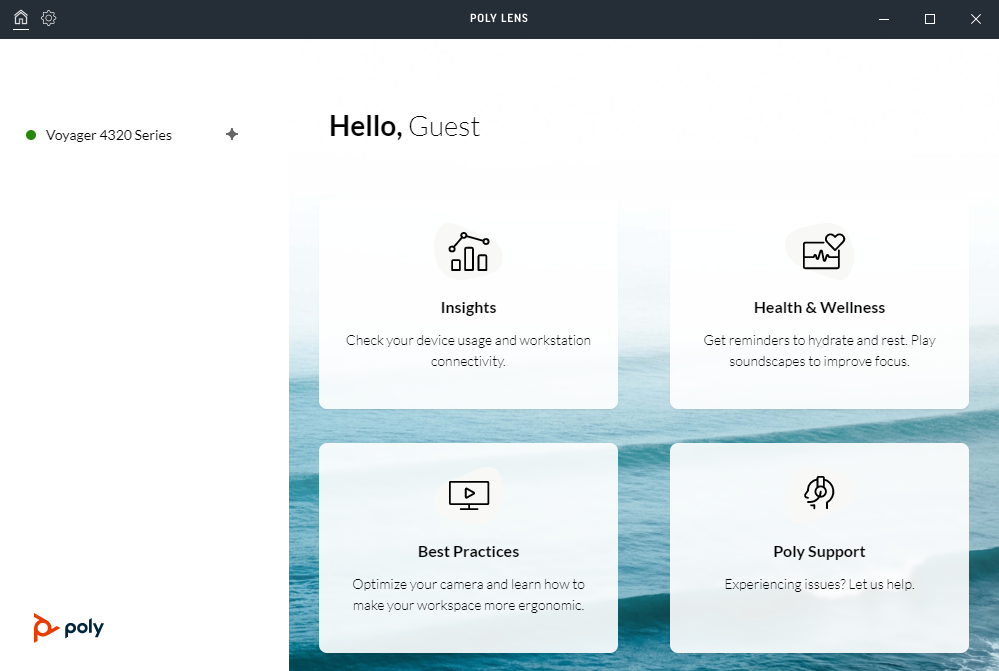
    8. If you have the Poly Lens software installed make sure the headset and the Bluetooth Dongle have the latest firmware and you can see their behavior in real time as connections.


    [ad_2]

    Source link

  • Digital Noise cancelling headphones and how it differs from active and
– PHIATON

    Digital Noise cancelling headphones and how it differs from active and – PHIATON

    [ad_1]


    With the hustle and bustle of everyday life, oftentimes we find ourselves needing a little peace and quiet. Our lives can be very stressful; from balancing work and social life, to making time for loved ones and personal hobbies, while also finding a way to prioritize our health, sometimes we need a little break from the chaos that is (or can be) life. One method of tuning out the rest of the world is through the use of noise canceling headphones. As a relatively new and groundbreaking technology, noise-cancelling headphones reduce unwanted ambient sounds using noise controlling technologies. Whether you are an audiophile, a music lover, a podcast listener, or you simply like the comfort of being in your own world, there is a reason why anyone might like to find some much-needed “me-time” and get themselves a pair of noise cancelling headphones. 


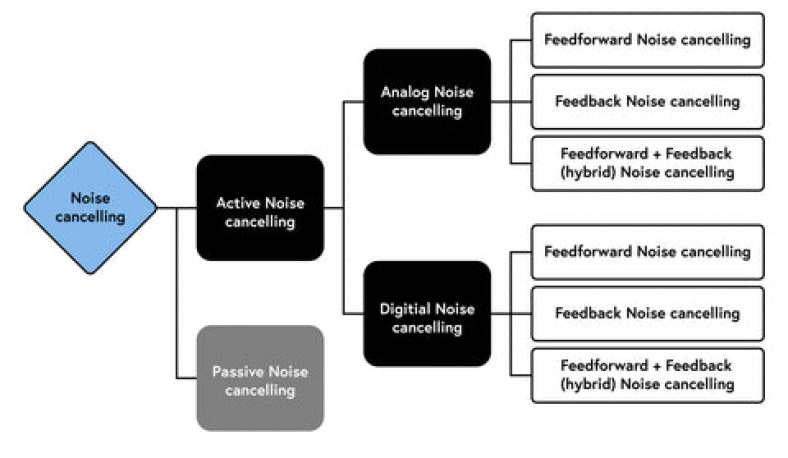
    Did you know there are actually different types of noise canceling? While many are already familiar with ANC (active noise canceling) as well as the lesser-known passive noise cancelling (PNC), another type of noise cancelling technology to be familiar with is called Digital Noise Cancelling (or DNC). These three types of technologies all reduce unwanted ambient sounds, but there are several distinctions between them that are important to consider when searching for the perfect pair of noise-cancelling headphones for you.


    The most well-known and popular type of noise-cancelling technology is active noise cancelling. ANC technology consists of microphones that “listen” to noises both inside and outside the earphone or headphone, working alongside an ANC processing circuits that inverts the phase of soundwaves, and the speaker drivers within the earphone or headphone generate the inverted phase soundwaves by the circuits to cancel out the outside noise. The two sound waves virtually cancel each other out when they clash with another sound wave of the same frequency but opposite amplitude. It is comparable to adding +1 and -1 to get zero.


    ANC is an excellent choice for frequent travelers as the active noise cancelling feature is more effective in reducing low, lingering sounds, such as an irritating air conditioner whir, or other unpleasant sounds generated by motors, subway and airplane engines. However, if your goal is to filter out crying children or barking dogs, perhaps look towards passive noise cancelling technology instead.


    On the other hand, passive noise cancellation doesn’t rely on any electrical components. Instead, it depends on the actual characteristics of the earbuds or headphones to physically filter out undesirable sounds. This is frequently accomplished by using applied thick cushioning or ear tips the headphone or earphones, which reduces outside noise. It can be quite successful in obstructing outside noise, especially in the higher frequency range, and this kind of noise cancelling is frequently found in less costly headphones and earbuds.


    PNC headphones require a tight, personalized fit suited to your specific ear shape, which can make your listening experience more comfortable. In order to block out undesirable noise, whether it be mid- or high-frequency noise, PNC headphones employ well-designed ear cups and ear pads. The PNC technology in your earbuds or headphones stops ambient noise from entering your ear canal by precisely molding them to the shape of your ears, so your ears are physically separated from the noises that you don’t want to hear by passive noise cancelling. As a result, you can listen to music at lower volumes because you don’t have to counteract the sounds of your environment as much as you would with ANC.


    Digital noise cancelling (often referred to as digital noise cancelling or DNC) uses a technology called digital signal processing (DSP) to remove unwanted noise. It operates by evaluating the incoming audio signal and then creating an “antiphase” of the noise, which is subsequently removed from the original audio signal. This kind of noise canceling is often found in high-end headphones and earbuds. As a result, the audio experience is significantly cleaner, crisper, and has less background noise. DNC works by capturing background noise and adding antiphase noise that cancels sounds like the roar of a powerful V8 engine, the buzzing of an aircraft engine, or even the background noise of a busy city street. Digital noise cancelling can somewhat tweak the sound quality and effects to make for a more enjoyable audio experience.


    DNC headphones feature some of the most precise and accurate noise cancellation technology on the market. It is perhaps the most effective technology for reducing unwanted background noise, although it can be fairly pricey. By using both the outside (feed forward) and inside (feedback) microphones for superior noise cancelling technology, it helps to experience clear audio quality like no other without being disturbed by ambient noise.

    Ultimately, whether you’re flying at 30,000 feet, riding the subway or walking through a noisy street, you’re going to want your personal audio or entertainment experience to be a seamless, crisp, and enjoyable one. Noise-cancelation can eliminate almost undesirable droning sounds so it’s important you choose the best fit for you. Each type of noise-cancelling technology has distinct benefits and drawbacks of its own. Your personal tastes, budget, and the kind of noise you want to block out will determine the kind of noise-cancelling technology that’s right for you.


    Being surrounded by so much background noise makes it challenging to enjoy music while navigating the environmental chaos of daily life. These types of noise cancelling technologies are great at lessening the noise around you, so whichever kind you opt for is going to greatly reduce ambient noise, as well as bring a comfortable listening experience and exceptional sound quality. Phiaton strives to deliver innovative technologies for its audio products that fuse unparalleled sound quality with a modern design for today’s fast-paced lifestyles, so take your pick and drown out the commotion of everyday life with a pair of your very own noise-cancelling headphones.

    By Claire Barnett 

    [ad_2]

    Source link

  • CA22CD-SC vs CA22CD-DC main differences.

    CA22CD-SC vs CA22CD-DC main differences.

    [ad_1]


    VS

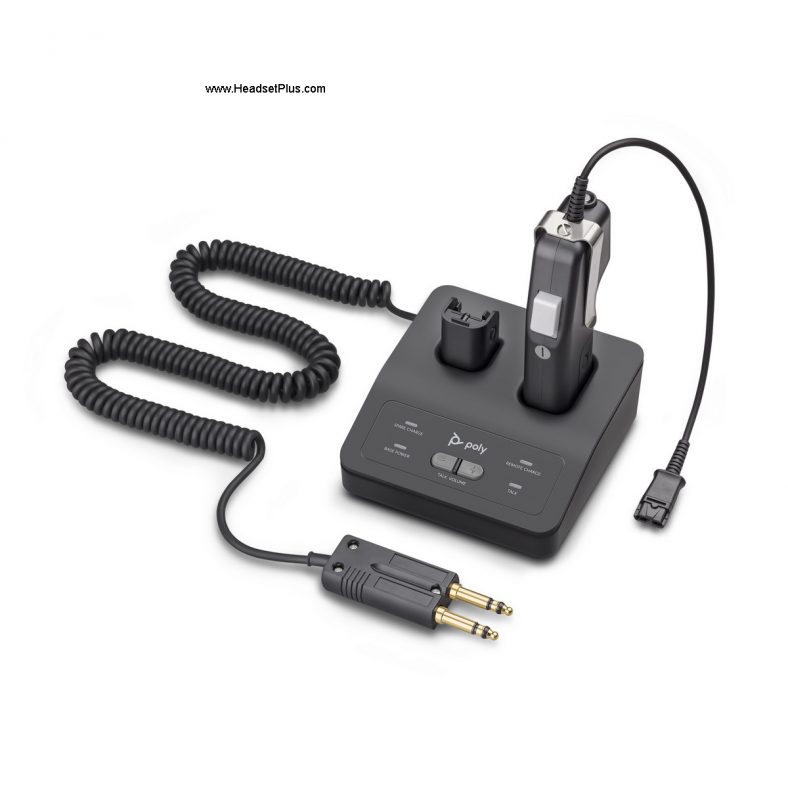
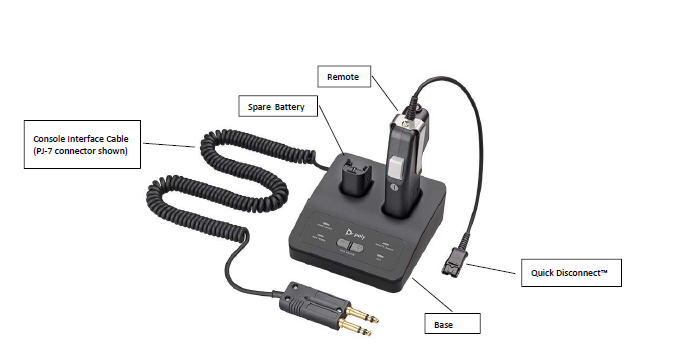
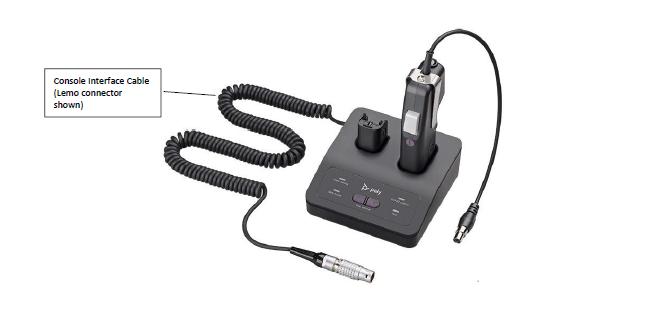
    Poly recently launched the new CA22CD-SC that is the naturally replacement of the old CD12CD-S, which is really well known by dispatchers, air controllers among and emergency responders among others. And among the changes and improvements including their higher encryption DECT chip, the USB connectivity directly to the base and the improved PTT latency that had been reduced to now under 36 milliseconds we found the new CA22CD adapter in 2 versions, the Single Channel, denominated “SC”, and the new for this year denominated Dual channel or “DC” and today will explain the main differences between both.

    A. CA22CD-SC

    The CA22CD-SC is the replacement of the CA12CD-S, uses the same PJ-7 with double prong interface cable as the old one and its the most common used for the PTT capability. The new CA22CD-SC now has a modular eight-position jack for connection to analog equipment, while the old one had only a six-position. The new USB port on the back comes with USB serialized on a “friendly name” which comes programed at the factory for easy identification of multiple CA22CDs connected on the same host PC. Compatible with any Poly/Plantronics H- and HW- headsets.

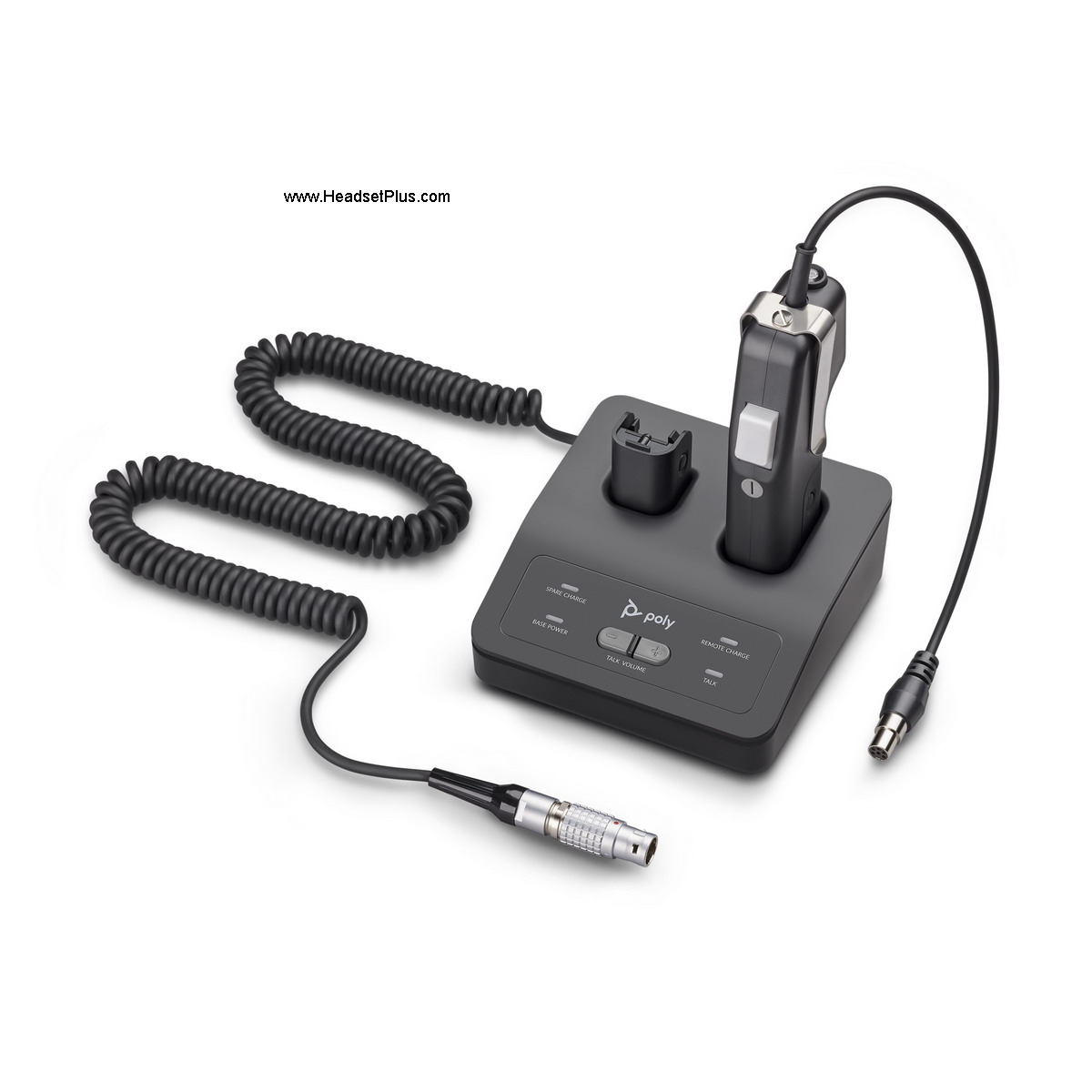
    B. CA22CD-DC

    The main difference between the SC and the DC is the console interface cable, which comes with a Lemo connector instead of the PJ-7. A Lemo connector is one of the newest on the market as they are used for panel and coaxial connections and in fields like telecommunications and advanced projects for research. Some of the Lemo connector projects are required to comply with standards as the ones provided by Underwriters Laboratory (UL). This connectors are more advanced and more powerful as they are used for high-voltage projects and some of these projects are performed in some universities.

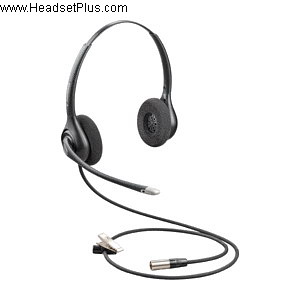
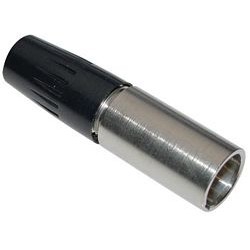
    The CA22CD-DC uses a Switchcraft TA6FLX connector for the dual channel systems and for the same reason it is only compatible with the new Poly’s dual channel headsets as it will not be compatible with the Poly H- or HW- headsets.

    For the same reason of requiring a higher voltage and more advance connectors on the projects, these kind of PTT units tend to be more expensive than the regular counterparts with the PJ-7 connector.

    Both models work the same way and have the same features like the secure-voice operation which is programmed in the factory that mutes the microphone by default until the PTT button is pressed, the volume control adjust rocker on the remote, visual indicators of status on the remote, battery charging on the base and audible indicators like low battery on the earcon or volume fine-adjustment in the earcon, plus the improved talk time that takes it from the old 8 hour talk time to 10 hours talk time.

    [ad_2]

    Source link

  • Jabra Evolve2 Buds Test and in-depth Review by the Expert at HeadsetPlus.com

    Jabra Evolve2 Buds Test and in-depth Review by the Expert at HeadsetPlus.com

    [ad_1]


    Jabra is really well known for their true wireless earbuds and successfully they gain territory to their veteran Evolve 65t, one of the first true wireless earbuds certified for different UC platforms and with a unique and contained design, making them the best solution for people in need of a headset compatible with their computer and mobile devices such as cell phones, but without having something noticeable as a headband.

    With the new improvements in technology and following Moore’s Law which indicates that newer technology will come in smaller sizes and more powerful features and/or chips, Jabra proudly introduces the Jabra Evolve2 Buds. The second generation of the Evolve 65t, the new Evolve2 Buds now offers a more compact and more comfortable design, and Jabra even took a step further in its performance and features, making the Evolve2 Buds a completely better true wireless earbuds and we will discuss them next.

    The Evolve2 Buds now comes with Bluetooth Version 5.2, giving it a better range using the Jabra Link 380 with a further range than the previous generation, a much appreciated feature for people that need to be in their UC platform and have to walk around the office space. The Jabr aEvolve2 Buds are fully compatible with iPhones as with any Android cell phone as well, and they are certified for applications such as Google Meet, Microsoft Teams and Zoom for mentioning some of them.

    The new and better design of the Jabra Evolve2 Buds now have the new created Jabra MultiSensor Voice feature, which means that even in the small size earbuds you can find not 1 or 2, but 4 Noise Canceling microphones, which work great in a conversation, as they actually only follow the users voice and this means that people even if want to walk out for some fresh air while on a call they can do it without compromising the performance of the microphone. For same reason of their size and for being able to walk around the design is a more welcoming design, personally i find them highly comfortable and you can wear them all day long without having the classics annoying pain of having something in your ear. Kuddos to Jabra for this new improvement design, my head and ears really appreciate it.

    The Buds are Water proof and dust proof as people can take them outside for a jogging routine or to workout. The Evolve2 Buds have a really advanced feature as they have 2 VPU sensors, this means that this 2 sensors are designed for Bone conduction, meaning that the sound quality is not compromised due to the size of the earbuds.

    A huge improvement that everyone will really appreciate on the evolve2 Buds is located in the case, on the previous generation the Link 370 for example needed to be always plugged into the computer or stored somewhere in order to avoid loosing it, those are days of the past , because the Evolve2 Buds case now it offers a special place where you can store the Link 380 and you can carry it with the buds in the case and with this no more lost dongles. Another huge improvement in the case is that it has a USB-C port, which means it has fast charging capability and on top of that it offers Qi wireless charging, this is a nice feature as you can charge them using your Qi charger or you can get the one designed by Jabra as well.

    Special mention goes to this huge improvement over the previous generation. On the Evolve 65t you could only use the right bud and the left one will just connect to the right one, on the Evolve2 Buds that’s another thig of the past, now you can use either bud or both in order to make calls or enjoy your favorite playlist or webinar and if you run out of power on one by simply putting the other one on, it will take over from wherever you stayed.

    Besides being smaller, more discrete and more comfortable the earbuds of the Jabra Evolve2 Buds offers super sound quality as they offer Active Noise Canceling (ANC) and with the well know HearThrough technology from Jabra, allowing the user to keep the buds on and even have a conversation face to face with a person. The earbuds can be customized using the Jabra Direct software with different functions, for example, you can choose of by pressing once on the right bud to launch Teams or the play/pause, or answer a call or even reject it. Thanks to Jabra Direct you can activate the In-Ear Detection settings, that allows you to Answer calls, mute calls or pause streaming by simply putting the ear buds on.

    Thanks to the improvements now the Jabra Evolve2 Buds offer up to 8 hours of battery time on the buds per one charge and the improved case offers now up to 33 hours in the buds using it and it offers a 2 year manufacturer warranty with Jabra’s impressive and well knowledgeable tech support team.

    The beat ear buds that I have worn in years, the Jabra Evolve2 Buds comes in MS Teams Edition and UC Version, both of them compatible with all the UC platforms in the market. Orders yours HERE.

    [ad_2]

    Source link